

Podcast Transcript
Vira: 0:18
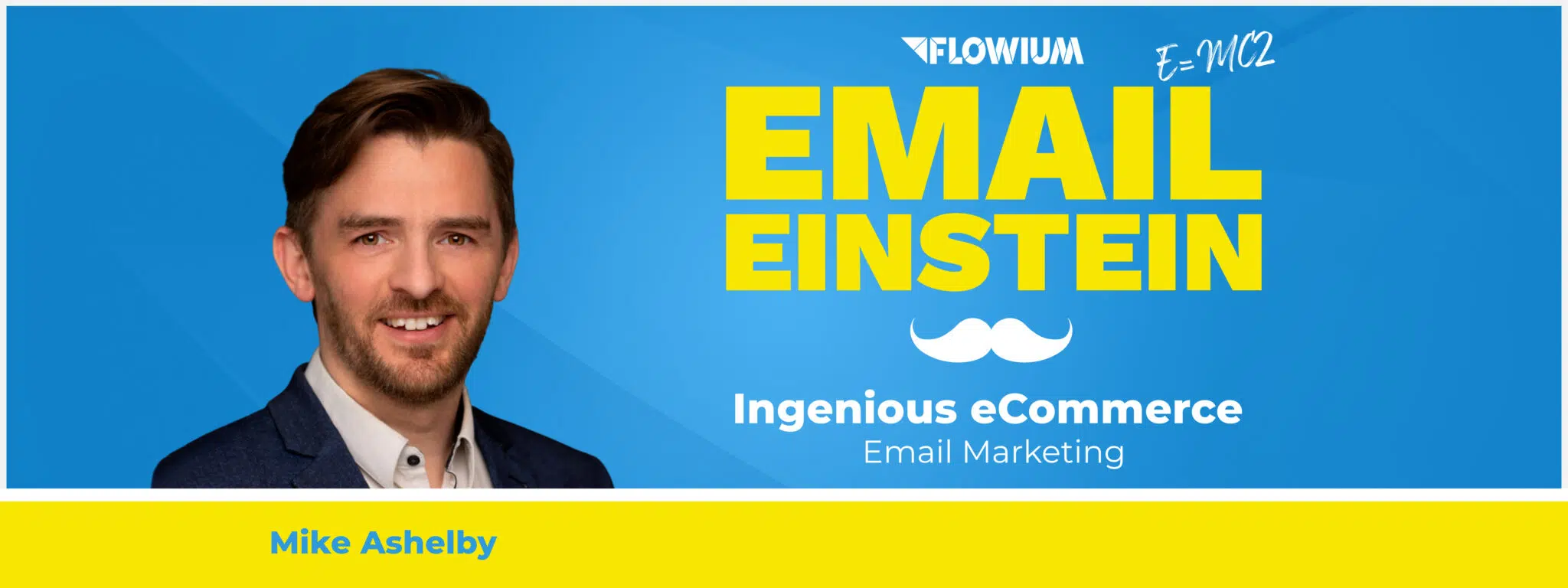
Welcome to Email Einstein, a podcast by Flowium. It’s time to start honoring your inner marketing Einstein. Tune in for the data-driven tips that’ll make you a marketing genius. Here you’ll find email marketing formulas and tips straight from the brilliant mad scientists at Flowium. It’s time for your emails to start earning more money. It’s time to unleash your Einstein. Hello, hello everyone, and welcome back to Email Einstein, the podcast by Flowium. I’m your host, Vira Sadlak. I’m an marketeer at an agency called Flowium. And here at Flowium, we really love ecommerce email marketing. We love ecommerce. And because we love what we do, we want to share our insights with you. And today we’re going to be talking about honestly one of the biggest email marketing challenges today. And do you know what is the biggest email marketing— one of the biggest challenges in email marketing today? It’s not deliverability. Spoiler alert. Although I know it’s a big topic, it’s not even open rates. We do talk about open rates, deliverability a lot, but the challenge is actually getting people to take action and click on that email, click on that campaign once they’ve opened and read an email content. And actually, that’s what we will be talking about today with Mike Ashelby from CleverGifts.com. Mike is a Chief Technology Officer at CleverGifts.com. And for those of you who don’t know what CleverGifts is, it’s basically like an ultimate tool for adding personalized animations to your emails. When you’re receiving that email and instead of having standardized hero image, you have something saying like, hey, Vira, or obviously, hey, your name, or something like that. So I’m really excited to talk today to Mike about all things email personalization and how it can help you with click-through rates. Say hi, Mike.
Mike: 2:08
Hello. Hello, Vira, and hello, everyone on the podcast.
Vira: 2:12
Yeah, I’m super excited to have you here today. You’re joining us from the UK. Great to be here. So thank you for making it happen. I know when you’re recording this, it’s like 9:00 PM your time, so I do appreciate Yes, my apologies if I yawn. Cool. Before we go to all of the serious juicy email marketing questions, let’s do a little blitz Q&A just to get to know you better. Okay?
Mike: 2:36
Fine. Yeah. Yeah. Let’s go.
Vira: 2:38
Let’s do this. Okay, Mike, email or SMS?
Mike: 2:42
Ah, SMS.
Vira: 2:45
Interesting. I might be biased. I’m an email marketing person, so I’m biased.
Mike: 2:49
Oh, I love it. Oh, I love it for— sorry, I thought I’m thinking personally. If I’m sending somebody a message.
Vira: 2:54
Whatever it’s like.
Mike: 2:55
No, but, um, yeah.
Vira: 2:56
SMS.
Mike: 2:57
Yeah. Pinging a quick message to my wife. That’s the key thing.
Vira: 3:00
Cool. Okay. Sorting by price or by rating?
Mike: 3:05
Oh, I would love to say rating. I always want to buy the quality, but often price is so hard. And particularly when it comes, you can’t tell the difference, you know, and you think, well, are these ratings real? So often I end up going on price and thinking I’ll return it if it doesn’t do what I need.
Vira: 3:23
It can be tricky. Yes. Okay. TikTok or Instagram?
Mike: 3:27
Oh man. Now I’m showing my age because I’m an old man. And, um, yeah, I, uh, I tried, I did TikTok and honestly, I, I just couldn’t get on. I couldn’t get on with it. I love Shorts and I love short-form media. I think that’s fantastic. But, but TikTok just, just didn’t get me. And yeah, so Instagram all the way, I’m afraid.
Vira: 3:50
Cool. Well, I’m the Instagram person myself, so like no judgment here. I mean, I love TikTok sometimes, but I was super relieved when Instagram introduced Reels. So this short video, um, short videos that it didn’t have to go to TikTok. And when you mentioned your age, I was like, is he going to say MySpace or something? I was like, I wasn’t sure. Yeah, no, because I personally never used MySpace because I didn’t grow up in North America.
Mike: 4:20
No.
Vira: 4:20
I’m originally from Ukraine, so we didn’t have MySpace back in the day. I think it was mostly popular in the States. States and Canada. Um, did you guys have it in UK as well?
Mike: 4:31
Yeah, we did. We did. And it was, it was a reasonably big thing. I’m going to give away my age now.
Vira: 4:37
Yeah.
Mike: 4:38
Back when I was at uni, that became a thing just as I came out of uni. Um, but yeah, again, it wasn’t a thing. It wasn’t everybody’s cup of tea and it, you know, well, I was in a band, so that was the thing.
Vira: 4:51
You were in a band? Nice. I like this podcast already.
Mike: 4:54
Yeah, it’s still good fun. Getting more and more fashionable.
Vira: 4:57
Cool. Okay. Shopping online or shopping offline?
Mike: 5:00
Oh, it’s online. Yeah. Although charity shopping in real life, that’s where it’s at. Um, because there’s less choice. I think online, offline, it doesn’t matter. If you go into a store, there’s so much choice all the time. Whereas charity shop, you know, you’re doing good, whatever you buy, even if you don’t like it in a week’s time, it was a donation to the charity. And you know, And you go through the racks and you find 4 things that will fit you and you think, oh, I don’t like them. I’ll come back next week. And you’re away. So yeah, that on, uh, offline, but charity shopping. That’s my way forward.
Vira: 5:38
Cool. And the last one, if there was one song playing every time you entered the room, what would it be? And I’m especially curious to learn your answers since you were in a band. So, you know, a thing or two about music.
Mike: 5:49
Oh, drums. Yeah. Well, I think Don’t Stop Me Now is one of my favourite songs, certainly one of my favourite songs to sing and perform. But it also, you know, I’m a bit tenacious. So I think that that’s sort of, at least the title there kind of says, right, yes, come on, let’s get this done regardless of what gets in the way.
Vira: 6:11
Yeah. You wouldn’t believe how many guests on our podcast named this song as their theme song. There’s something about Queen, I guess. So.
Mike: 6:19
It does. It does. It’s not actually, apparently Brian May didn’t really like it, but it’s, oh, it just, yeah, it gets you going, doesn’t it? And it just pumps you up.
Vira: 6:30
Yep, totally. Okay, cool. Now let’s talk some personalisation. For those of our listeners who don’t know what Clever Gifts is, how would you explain what it is? Like what it is, who’s it for, and why should people care?
Mike: 6:46
Wonderful. Yeah, well, Clever GIFs is, is just, all it is, is just a tool for personalizing animations inside your email. So, you know, we’ve all seen how video’s taken over all the social media streams and email, you know, the standard hasn’t been really updated in a decade. So, video doesn’t work. But the thing that does work, the way of injecting movement into email, is using GIFs. And Clever GIFs is just a way of personalizing those GIFs for individuals receiving them. Receiving that. So in the same way as you’d personalize your subject line or add somebody’s name into the, into the body of the text, you can actually now add that as an animation into the, yeah, in, in your email.
Vira: 7:30
Yeah. And I mean, I, I received quite a few of those emails and I think on your website you even have this, um, like an opt-in form where you can like write your name or write your last name and then you will receive this like personalized email with a header that has like animated name, your name in it. It was pretty cool, I thought. Yeah.
Mike: 7:54
Yeah, exactly. Exactly. And if you sign up at clevergifts.com, if you get your free account, you’ll actually get, you know, in our email sequence, as you guys will know all about, there’ll be loads of examples that will come through showing you how you can use this in your own campaigns.
Vira: 8:11
Cool. What are the benefits of like this type of images? Like, why should we care about personalizing the hero images? I know we do a lot like internally, uh, with our clients, we do a lot of, uh, personalization when, when it comes to like product recommendation or, um, like, um, their name, obviously all that kind of stuff. Like, why should I care about personalized images?
Mike: 8:35
So we, we talk a lot about names now. Of course, names aren’t the only thing that you can personalize, but names are really, of visceral, and particularly when they move, when they move on the screen, it makes a connection in a way that seeing your name in the text in the body of the email doesn’t otherwise— that doesn’t connect in quite the same way. When it, when it moves, when your name sort of appears, um, you know, sort of animated within the email, it really does sort of resonate. Now, of course, you know, the goal is always interactions, it’s always increased, you know, click-through rate, it’s always, you know, increased revenue. That connection that you’re making with with the customer. It works in that particular email, and we see increases in click-through rate, but you also see an increase in engagement and that sense of feeling known by the organization. You’re sending out these emails to tens of thousands of people, and everyone knows they’re one of 10,000 people. But as soon as it’s got your name or the last product that you bought, oh, these guys actually know me. Right. And as soon as, and when that moves, you know, we’re the only people doing this at the moment. Um, you know, I’m sure we’ll have competition soon enough, but you know, when you see those things in motion in a way that you weren’t expecting to see in email, um, it makes you feel valued, I guess.
Vira: 9:58
Interesting. Yeah. And I mean, there are like a ton of different studies, um, that show how like personalization actually help with like increasing click-through rates. Like I read this study, uh, when I was preparing for this podcast that I forgot who’ve done it. I think it was somewhere on Klaviyo website. Study showed that marketers who used personalization in their emails to make their emails more relevant, they were able to increase click-through rates by as much as 139%. I know 139% sounds almost like a made-up number. It does, yeah. But yeah, people, I mean, it’s 2023 and people don’t want one-size-fits-all kind of marketing anymore.
Mike: 10:44
No.
Vira: 10:44
personalized experience you, you can deliver, obviously the better. But quick question I have about this one.
Mike: 10:52
Yeah.
Vira: 10:53
Do you think it might come off a bit as like creepy, you know, that like too much personalization, like in the hero image and stuff like that? Have you ever had this kind of like issues before? Is there such thing as too much personalization?
Mike: 11:06
That’s really interesting. Yeah. I think there are ways that you can personalize, um, that that could come across creepy. You know, you’ve got all of this data on your customers. You know what they’ve been looking at, you know what products they’ve added to their basket, you know when they clicked on something and then clicked off, you know when they’ve looked at something 3 times. You know, you don’t necessarily want to be saying, hey Joe, you, you know, you looked at this product 5 times last week.
Vira: 11:34
Right.
Mike: 11:34
How about, you know, a 20% offer, you know, off that product to nudge you over the edge? You know, you don’t want to do that That sort of stalking kind of thing. But people know that you’ve got their name.
Vira: 11:46
Right. I mean, they volunteer their data, right?
Mike: 11:49
Exactly. Nobody objects to seeing their name within the text, you know, in an email. And so, I don’t think it particularly comes across creepy then to see your name in an animation. I think the response that we’ve had sort of overwhelmingly is, no way! That’s really cool. You know, oh, that, that, that sort of, you know, yeah, that resonance, that sort of sense of, oh, that’s new. I haven’t seen that yet.
Vira: 12:16
That’s, that’s interesting that you mentioned that example of, um, like almost like browse abandonment flows, because we do have like a ton of those browse abandonment. We do use browse abandonment all the time when someone like browsing through your website and then you’re sending them an email. Uh, but we had to change the language a bit because like originally, like when we first started like doing them, we were like, hey, thank you for stopping by at our website and looking at this product. Um, but I remember we were, we were actually recording podcasts with, uh, Chubbies, like another big, um, American brand. And they said that this is actually one of their best performing, uh, flows ever, the browse abandonment. But they did change the language because people were like creeping out.
Mike: 13:04
Yeah.
Vira: 13:05
That, you know, so much about them. And I mean, we do know a lot of information, right? But it’s just like, not everyone understands how much marketers know about them.
Mike: 13:15
I think that’s true. I think that’s true. And yeah, when you are, um, yes, the language is really important. As I say, um, I can’t remember who said it, but, um, I’ve heard it said that, that somebody’s name is the most powerful communication tool that we have, right? So when you call somebody by name, you know, when I say, hey, Vira, that just really resonates. And so, you can use those tools and you can use those things that will resonate. The things that are less to do with your identity, I suppose, and so you’re not resonating with them in the same way, the things that are to do with your habits or what you’ve been looking at or what you’ve been doing, those things feel a bit like a stalker.
Vira: 14:02
Sure.
Mike: 14:02
Things to do with who you are and your identity and those things, people value that, I think.
Vira: 14:10
Yeah, yeah, totally. And I think it was like Dale Carnegie who said that a person’s name is, to him or her, is the sweetest and most important sound in any language. And it does make sense. I mean, right?
Mike: 14:21
That’s a lovely thing. Yeah.
Vira: 14:22
Yeah, totally, totally. Okay, cool. Let’s talk a little bit about Clever GIFs, Klaviyo integration, because a lot of our users, they are using this like sweet combo of like Shopify and Klaviyo or like WooCommerce and Klaviyo.
Mike: 14:36
Perfect.
Vira: 14:36
Like, what are some of the key features and functionalities that are available available to users who are using Shopify and Klaviyo?
Mike: 14:45
Yep. So the, the key one and the, the one to sort of get your head around first is to put the personalized GIF into, into the email itself, into the template. You use Klaviyo’s dynamic image feature. So when you add an image, you can upload an image or you can add an image from a URL, but there’s an option down the side that says dynamic URL or dynamic image or something like that. Now, the example that that gives is maybe a URL field that you have, so it might be a product image or something like that. But what we give you is a unique URL that you pop into that, and then you use the person’s name, the merge tag for their name on the end of that URL. And then Klaviyo sort of creates that URL with the name on the end, and our system goes, oh yeah, that’s Vira’s one that I need to deliver at this point. So it’s like using a merge tag inside the URL, and that’s how the dynamic images work. Now, people may have used things like dynamic images with some, some other services, um, things like Live Clicker and, and stuff like that. Um, those Because GIFs are a bit longer, they’re a bit more weighty, they take a little bit longer to process. So they need generating in advance of the email actually being opened. You can’t just open it and expect to see the GIF right there because essentially you’re creating a unique video for everybody, right?
Vira: 16:23
Mm-hmm.
Mike: 16:24
So the other little bit that’s really useful in Klaviyo is the webhook component. Now, loads of people won’t have used this. When you’ve got a one of your flows and you’re looking at, right, when do people come into the flow? And then you’re going to wait a couple of days or you’re going to wait an hour and then you’re going to send an email. Well, before you send the email, you just fire off what’s called a webhook and we give you a URL that you send and you essentially send the person’s name through to that URL and it creates that in advance and then bosh, it’s ready for when the email comes through. And those are the, those are the 2 key features. Of course, if people aren’t using Klaviyo, there are other ways of doing it in things like Mailchimp. Mailchimp, I think we use a, um, custom HTML block. Um, but the same idea happens within that block that the source for the image in that block, um, just has a URL that relates to your particular project and then just adds, um, adds the, the merge tag onto the end of that.
Vira: 17:29
Right. So what you’re saying, I’m just like, correct me if I’m wrong, what you’re saying is that you guys are using like Klaviyo merge tags to like personalize, um, that emails, but Klaviyo does have like a ton of different merge tags, like address information, like city name, organization name.
Mike: 17:48
Exactly.
Vira: 17:49
Like you name it, there’s like so many. Can you use like person’s country or region or city? Can you use like any merge tag to pretty much like create, uh, create that, uh, personalized visuals?
Mike: 18:03
This is exactly it. So you’re completely right. You can use any of those text fields that you’ve got. So it might be their city or town. You might be saying, hey, we’ve got deals in Coventry, or there’s a show on. These are the shows that are on this month in your town.
Vira: 18:19
Interesting.
Mike: 18:20
It can be the year of birth. Here are deals for people born in 1980. And of course, those things aren’t then necessarily unique to the individual, Our pricing model, just for full disclosure, you pay per unique GIF that you make. So actually, if you’re just, if you’re sending out to people based on city or town, you know, actually you’re not sending a unique one to each individual. So the costs are lower, but you of course don’t get that same visceral impact that you might get with an individual’s name.
Vira: 18:56
Right. So right now you can basically use this like personalization in both flows, like automations in Klaviyo and in campaigns, correct?
Mike: 19:06
Exactly. Exactly. Yeah. When you’re using it in a campaign, the way that we pre-generate those GIFs is just that you go into Klaviyo, you select your segment that you’re going to send, send to, and you just download the relevant information in a CSV. And then you can upload that to the Clever GIFs app. And then that will strip out all of the unique information because of course you only pay For unique, you know, unique GIFs. And then it’ll create those all ahead of time so that when you’re previewing your email, you can, you can see those. And when you send it out, they’re all there ready to go.
Vira: 19:43
I see. I see. Let’s talk a bit more about flows because I’ve seen some pretty cool examples on your website. So tell me more about how you can like enhance, enhance your Klaviyo automations with Clever GIFs. Like at what points of customer journey do you recommend using those? Um, customize GIFs?
Mike: 21:22
Yeah, that’s, that’s a really good question. Now, Clever GIFs just work anywhere to, to augment what you’re already doing. And so it’s really important— I was going to share this example later, but I’ll share it now. It’s really important not to think that this will be the silver bullet that will just solve everything, right? We, we had a customer get in touch with us just before Christmas in a massive panic because they sent out an email for a client and it had made no sales, like just literally none. And they phoned us up and said, we need your GIFs, you know, you got in touch and we need that now. Well, we, you know, we put together a bespoke design for them. That’s something that we’re happy to do for clients. And, you know, and made this brilliant GIF that really, you know, really helped sell their product as well as we could. Now, it increased their click-through rate by 35% as compared with their one earlier in the week.
Vira: 22:16
Mm-hmm.
Mike: 22:17
But still they made no sales, right? Because you can’t magic up people buying something that they didn’t want to buy.
Vira: 22:27
Totally.
Mike: 22:28
Totally. So, coming back to the flows, that’s what I would say is it’s about finding those areas of your flows that you want to add that magic sauce to, I suppose. Now, maybe you’re finding that people are are signing up, but they’re never actually verifying their email address, right? Well, you can send them a quick, you know, hey Vira, it’s time to verify your email. And, you know, and that sort of resonates because, oh yeah, great, these people know me, you know. And it’s not just plain and boring, it’s just, you know, it’s got— it’s, it’s that little bit more engaging. But if actually you’re finding that people are dropping off the end of your onboarding sequence, and, and, you know, and really your, your last-ditch attempt at the end is, is where you really need to sort of win people back, then those kind of win-back things, maybe sending something a month or two later that’s going to pique their interest. Again, you need to open the email to see the GIF, right? So, you’ve got to have that engaging subject. But when you’ve got that engaging subject and you want to really capitalize on that, then win-backs are a really good place to say, hey, Vira, look, we’re really sorry that you didn’t find something, but here’s an offer that hopefully will bring you back into the system. Yeah, so we’ve seen them used, as I say, everywhere in automations, right the way from verifying your user account through the whole onboarding process. As I say, when you onboard with us, you’ll see a number of examples of that kind of thing. Milestones, oh, great, you’ve done this thing on our website, you’ve unlocked this achievement, you’ve unlocked this deal, whatever those milestones are that you’ve finished your you’re updating your profile, you invited a friend, whatever those things are.
Vira: 24:16
Right.
Mike: 24:18
As I say, it’s all that stuff. The thing that I would say is it’s particularly effective when you’ve sort of hit the buffers with optimizing something to the nth degree, right? You’ve done everything you can. You’ve gone A/B testing crazy on your subject lines. You’ve restructured your email. You’ve written the right call to action, and you’ve done everything you can think of. Well, this is a tool in your armory, right? This is a new thing that you can say, this is going really well, but what if we could add 10% to those click-throughs? You know, what if we could just nudge that, that little bit further? So it’s really, it’s really great for that. As I say, at whatever points it makes sense for you in, in your campaign. But the other thing, a word to the slightly lazier among you, you know, all those people who are in a real rush rush, when you’ve not got time to run, to go to your designers and do a whole design sprint on how this email’s going to look, when you’re just like, we’ve got to get something out really fast and it’s got to have the thing. We’ve seen when people just throw one of our GIFs in and just go, do you know what? This will be a bit of fun. Stick the person’s name wiggling in a nice way, massive at the top of the email. It sounds stupid, right?
Vira: 25:38
But if you haven’t got time to— It grabs attention, definitely.
Mike: 25:41
Exactly.
Vira: 25:41
It grabs your attention, that’s all you need.
Mike: 25:43
It really does. And sometimes we see the best improvements, the A/B test, the kind of, well, I didn’t have time to really craft this email. The client wanted it out tomorrow, and we just haven’t got the capacity. But let’s put a nice-looking email, but stick a GIF with the person’s name right at the top of it. Grab their attention. And it works. We see 80% click-through improvements. on those kind of comparisons where you just haven’t had the time.
Vira: 26:12
Interesting.
Mike: 26:13
Yeah.
Vira: 26:14
Interesting. So is that like Flow process, is that automated or do you like manually need to upload those like images? Like what’s the process again? ‘Cause I’m like still a bit confused there.
Mike: 26:27
No, that’s fine. Yeah, it’s a new thing to learn, right? So it is an extra thing and of course everybody’s time is stretched, right? So I’ll just take you through it really sort of in a basic sense. You sign up at the website. The first thing you’ll be presented with is all of our templates. There’s 150 or so templates, and we’re about to launch a new tranche next week based on actually simplifying and just sticking— nice ways of presenting someone’s name, essentially, because we found that that’s actually one of the most effective things. Mm-hmm. That you have a look through and you find an example that sort of marries up somewhat with your design. So you select that one, you start a project, and then when you’re in the project view, you can make changes like changing the fonts and the colors. You could swap out background images or swap out images for the gallery that might be in there. We did one a few weeks ago. There’s some nice ones that just have 3 products that you can kind of cycle through and the name name, you know. So you, you personalize that to, to your particular email. We have our own little merge tags that then you put in any of the text fields, and you can— so then you could, you know, you can put in their name or, or their location or whatever that is. Um, once you’re happy with your design, then if you’re launching a campaign, then you just pop over to your ESP. So pop over to Klaviyo, download the data for the segment, just the fields that you need. So whether it’s, you know, first name, maybe it’s city, and then you upload that to Clever GIFs, hit generate, and off it goes. It just, it’ll make your 10,000 GIFs then. Yeah, so fun. You know, I’m a tech guy, so just, you know, click the button, you know, 5 or 10 minutes later, you’ve got 10,000 GIFs. It’s a pleasing thing, right? And then it’ll give you a unique URL. So that will be— that will refer to you as a user, you know, and then, and your project ID. So you get this unique URL, which then you pop into Klaviyo or into, you know, whatever ESP you’re using, and then add your merge tag to that URL. And then when you hit your preview button, you’ll see, and you can preview it then for anybody who’s in that segment and see their name just pop up in the—
Vira: 28:59
Oh, cool.
Mike: 28:59
Um, in the email right there. So yeah, so it sounds like a lot, but actually, you know, the people who’ve done it, they’ve done it 2 or 3 times, they go, do you know what? Yeah, I’ve got it. It’s, you know, it’s not— it just becomes part of their workflow.
Vira: 29:15
So that’s for the campaigns. And for the flows, is the process the same?
Mike: 29:20
Exactly the same up until the point at which you get the URL. The URL is the same and you drop that But instead of uploading a whole bunch of— instead of uploading your contacts to Clever GIFs to create them there and then, you get— you say, I wanna use this in an automation, and it will give you a unique, what we call a webhook. And then in your Klaviyo flow, you add a webhook node to that flow just before you’re gonna send the email.
Vira: 29:53
I see.
Mike: 29:54
And then that calls that, and then we give you a little bit of code that shows you where to put the, where to put the, the merge tag in that, in that webhook call. And then that’s how that gets created ahead of time for you.
Vira: 30:08
Yeah. I see. But do you still need like that time? Do you still need that like little time buffer between the emails, like to create that or change the date?
Mike: 30:18
That’s a really good question. Yeah. Now some people do and some people don’t. It depends how you know, what you’re expecting from your users partly. Um, we normally recommend to, to add a wait of, of a minute, um, after you’ve done that.
Vira: 30:33
Yeah, I see, I see. Of course, yes.
Mike: 30:35
You know, if you’re time critical— now some people when they’re doing things like a verification, they think, well, you know, we create the verification ones to generate as fast as possible. So, you know, we do, um, So they would probably be there by the time the person’s phone pings, you know? Um, but yeah, so we normally recommend leaving it, leaving a minute, but they’re usually done in 30 seconds. So it’s—
Vira: 31:00
I see. Awesome. Awesome. Well, that’s very interesting. And I mean, you’ve worked obviously with like a lot of brands and without like disclosing any names, um, can you like share some really quick example of how, um, Clever GIFs like helped them with, uh, click-through rates improvement?
Mike: 31:20
Yeah, well, as I said, you know, um, the guys that we worked with before Christmas, you know, while sadly we didn’t increase their sales, we did increase their click-through rate by, you know, by 35%, just by, you know, by adding— essentially the same email went out, um, but we just, we just put a really engaging animation with, with the person’s name right at the top saying, hey, come and get this Christmas gift. And as I say, people clicked Um, there’s a, um, one of our clients is a video downloads website, and they, they were one of our very early, um, early trials actually. And they, they sent out exactly the same email, um, A/B tested it, um, with, with an image in one and a clever GIF in the other with the person’s name, and they saw 80% increase in their click-through Crazy. Yeah, which is, you know, which is brilliant and really pleasing for them. You know, that leads to more sales. And actually, you know, of course this costs a little bit of extra money, but when you see the extra sales come in, it very quickly offsets it. You know, um, we did a, um, campaign, cold emailing actually, with, with somebody. In fact, this was the client I referred to earlier about the open rates. Um, and yeah, he had great, he had great results, but the thing that he was most chuffed with was that it hadn’t actually affected his open rate, because he was worried that he wouldn’t be able to do anything more innovative or dynamic, and he wanted to show himself as a really— the service he was selling was a very dynamic service. So, sending these very boring, very staid text emails to try and avoid butchering his open rate—
Vira: 33:11
Right.
Mike: 33:11
—was something he was really reticent about trialing, Clever Gifts with, but now he has these emails landing in people’s inbox. Um, and, and we’ve seen people on cold email campaigns have a response rate, um, of around 7%, which is, you know, which is mad.
Vira: 33:33
That’s crazy. Yes. Some brands don’t even get click-through rates of 7%, and here’s like a response of 7%. That’s pretty impressive.
Mike: 33:42
Exactly. You know, because, because it drops in their inbox and they see, you know, they see their name, they’re addressed personally. And this campaign was actually addressing the person by name and referencing their company. And they were like, wow. And I know what you’re saying about this sort of creepiness thing, but actually loads of people were just responding saying, I just had to reply to this. I just couldn’t not because it felt so engaging. So, and you know, so one last example, we ran a campaign for a brilliant email marketing company. This is one of the ones where they had optimized, you know, it was one of their really big customers and they had sort of said, look, we’ve done everything for this customer and we run great campaigns and it’s all, you know, it’s all going really well. They’re really well optimized. We know what works. We segment really well. We, you know, we direct effect, you know, customers really, you know, but we just want to see if— is there any— can we squeeze any more value out of this? You know, we know that these are generating, you know, $2,000, $3,000 an email, but can we make that, you know, $2,500? Can we, you know? And even with an incredibly well-optimized campaign and an A/B test that was as tight as we could make it, so we literally gave them a GIF that was exactly the same GIF, but one had, hi there, and one of them had, hi, and then the name, right?
Vira: 35:20
Mm-hmm.
Mike: 35:21
So, this is sort of A/B testing at its finest. And we still saw a 10% click-through rate improvement on the one that gave them their name as compared to just saying, hi there. That’s exactly what I was thinking. But in exactly the same animation. So you can see how, you know, people’s names being, you know, it just really resonates with people.
Vira: 35:47
That’s really interesting. And it’s really interesting that you mentioned that one of your clients were really worried about their deliverability being affected. Because one thing I’ve noticed with like different tools that are available to email marketers, sometimes when your email is like very heavy or it’s more than 100 KB. When it gets clipped, first of all, it affects your click-through rates because people can’t see your entire email. Then when you start getting lower click-through rates, you can be sent into a promotion folder or, God forbid, a spam folder. You do have to be very careful with the size of the email and with the—
Mike: 36:29
Yeah.
Vira: 36:30
improvements that you’re adding to your email, but that’s really interesting. Thank you for sharing all of those little case studies and examples.
Mike: 36:39
It’s a really good point. Now, one thing to bear in mind is that because the GIFs are referred to by URL, they’re never actually added to the sort of weight of the email message itself. So you’re not attaching it, you’re not appending it as an attachment. You know, you don’t have that aspect of things sort of affecting your deliverability. And on the flip side of that, in terms of the download speed, a lot of people have been worried about that. And people using GIFs, can we have GIFs? But they need to be high resolution, and they need to be under 500 kilobytes. Now, a lot of our templates will render a GIF under 500 kilobytes, which is great. And we can do things at Retina display resolutions as well.
Vira: 37:29
Mm-hmm.
Mike: 37:30
So you get that sort of real sort of crisp clarity. that you might not be used to in GIFs. We can do all of that stuff. But we have noticed actually in the last— there’s been a real shift in the last, I think, probably 12 to 18 months of people’s broadband speed. That’s one thing. And then the other thing is the way that your email services deliver you those images. So oftentimes, you’re not actually getting the image directly from us.
Vira: 38:02
Yeah.
Mike: 38:04
Apple will have cached it somewhere. Actually, what that does is that really speeds up the deliverability of those things. You think, oh, well, previously we weren’t sure about sending something that was maybe a megabyte, a really nice animation, but it’s a megabyte, and that’s really on the edge. But actually, we’re seeing those things will load on screen within a second, which is which is quite impressive. And very often, actually, the email, you know, if you’re browsing on your phone, often it will preload those images anyway.
Vira: 38:38
Right.
Mike: 38:38
So, they’re already there, they’re already rolling. So, yeah. So, those are just a few things to sort of have in mind about deliverability that we haven’t seen a negative impact when it comes to using Clever GIFs. And actually, people’s broadband speeds. Now, I have seen people sending through, not through our service, but sending GIFs that are 10 megabytes, right? And I think that’s a bit over the top. You know, that’s going to have an impact because often those things don’t load for 4, 5, 6 seconds. You know, you’ve missed the boat at that point. Right. But yeah, these are ours. We tend to focus on trying to keep them fairly lightweight.
Vira: 39:17
Cool. Well, Mike, if people want to learn more about what you guys do and about the tool, where should they go?
Mike: 39:26
Yeah, well, clevergifts.com, that’s the website. You know, if you want to jump straight in, then app.clevergifts.com is, will take you straight through to the app, but there’s a link from the site. CleverGifts.com, that’ll give you our brochure site. You can get straight through to tutorials there, and you can see tutorials specific for each of the different email platforms. If your email platform isn’t there, don’t panic. It’s probably just that we haven’t written the tutorials for it yet. We’re a very small team, so we’re rushing to keep up with that. But yeah, and you can get in touch through there. Or you can sign up, you know, you get a free account, you get 200 free credits, which is enough to just, you know, try a small segment, have a little go with something, have a play around with the tool. And then you can contact us through, you know, through the app itself. Being the CTO, I’m thinking about how do we get more of that contact. And we will add one of those little buttons in the bottom corner. But at the moment, it’s an old-fashioned web form. But, you know, if you ping that that off, we’re really happy to chat with you about your particular use case, get a handle on where you’re hoping to use it and what the best approach might be for you.
Vira: 40:42
Cool. Well, thank you so much for sharing that. And in fact, I think one of our clients is using it now, but it’s not my clients, like other project managers or other email marketing specialists. That’s how I learned about you guys actually. So I think they are using you. I’m just really curious to go and look at their numbers and just Like, yeah, we’ll see. Maybe, maybe I’ll add it to like a few of my accounts as well, but it was really fun chatting to you. Thank you so much for coming to this episode.
Mike: 41:12
Oh, it’s really, really nice. Really nice to chat with you, Vira, as well. And it’s, it has been great working alongside Flowium, you know, with your colleague, you know, you guys do such a great job of that optimization and it’s, it’s lovely to see you guys getting on board with this, with this new technology, with this new idea, you know, and being willing to try new things. I think that’s really important, particularly in spaces like this that are moving so fast. You can’t afford to be too reticent about saying, oh, well, is this— this is going to take me an extra couple of hours to learn this time. You’ve got to get stuck in, haven’t you? And you’ve got to keep moving because the space is moving so fast.
Vira: 41:53
Just test it out and see how it goes, right? That’s what we do here at Flowium. Always testing, always optimizing. That’s our bread and butter.
Mike: 42:03
Precisely, precisely. And, you know, and the cost with something like Clever GIFs, you know, they’re— it’s super cheap. I think we’re charging a cent per GIF at the moment. Um, you know, it’s super cheap. It’s really easy to just try, try that out. And as I say, you get some free credits anyway, so you can even— um, we had a French client, um, a few weeks back who, who just ran a campaign and actually they did a clever thing. Right, here’s a little inside track for your listeners. Anybody who’s made it to the end of the podcast, um, gets this.
Vira: 42:34
Exciting.
Mike: 42:34
extra bonus little tip. They went through and they looked for the most popular 200 names in one of their segments. And so then they used their, they very cleverly used their 200 gifts and they sort of made a new segment just with those guys in, right?
Vira: 42:55
Just for that one name thing. Wow. That’s smart.
Mike: 42:57
Exactly. Which then allowed them to actually do a campaign out to 10,000 people, but it wasn’t a direct A/B split. It wasn’t 50/50 exactly, but it gave them a much better weighting. That’s a really great way of just using that. Just find a little segment, something that it’ll work well with, that you can get underneath that 200 GIFs. Hey, we’re generous folk. We just want people to use it. We’ve built it now. We’re tech people, really. We love marketing, but we’re tech people. We just want people to come and get stuck in. So get in touch and we’ll sort you out.
Vira: 43:41
Cool. Well, you guys, as always, all of the links, everything that we discussed today in this podcast, it will be in the description to this. It will be like, the links will be in the description to this podcast, just scroll down and you’ll find them. And as always, if you like what we do, please leave us a review. Send us a screenshot of your review and we’ll send you some Flowium-branded gifts and surprises. So yeah, that’s how we roll here. So thank you so much for coming to this podcast. We hope to have you back one day again. Yeah, look forward to it. Yeah, and it was fun chatting to you. Thank you so much.
Mike: 44:16
Yeah, thanks for having me. Take care.
Vira: 44:18
Take care. Bye.
Mike: 44:19
Bye-bye.

Vira Sadlak
Podcast host, marketer, traveller and a life lover from Vancouver, Canada